
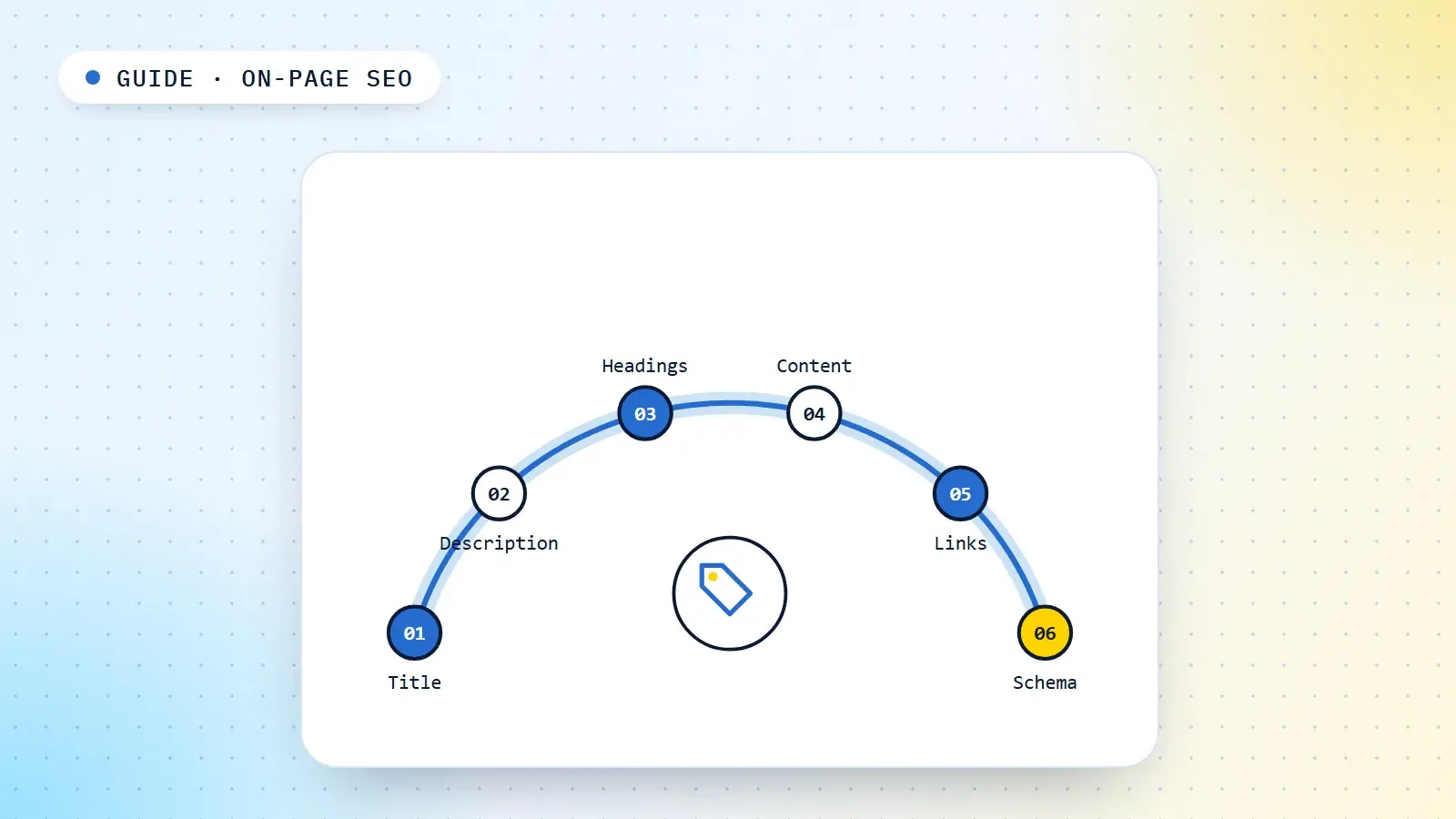
On-page SEO is the work you do on an individual page so that search engines can understand what it is about, show it for the right searches, and present it in a way that earns the click. It covers the elements you control in the page itself: the title tag, meta description, URL, headings, opening, body content, internal links, images, structured data and the signals that tell a reader who wrote it and why it can be trusted.
This guide is about the page. Planning which pages a site needs belongs to content SEO, and keeping the whole site crawlable and indexable belongs to technical SEO. Here the question is narrower and more practical: given one page with one job, how do you make every element on it do that job well?
What on-page SEO covers, and what it does not
SEO work is usually split three ways. The split is not perfect, because a slow template is both a technical problem and an on-page one, but it tells you who owns which fix. For the bigger picture of what SEO covers, see what is SEO?
| Layer | The question it answers | Typical work |
|---|---|---|
| On-page | Does this page clearly and credibly answer the search it targets? | Titles, descriptions, headings, the opening, coverage, internal links, images, structured data, authorship |
| Technical | Can search engines reach, render and index the site's pages efficiently? | Crawl paths, robots.txt, canonicals, redirects, rendering, speed, site architecture |
| Off-page | Do other people and sites vouch for it? | Links, mentions, reviews, reputation; see link building |
On-page is the layer you have the most control over and the one that pays back fastest. A title rewrite can change click-through within weeks. It is also the layer where the most outdated advice survives, so most of this guide is about which details still matter and which do not.
Start with the page's job
Every on-page decision depends on one thing being settled first: what this page is for. That means one primary query cluster, the group of searches that mean the same thing and want the same kind of answer, and one intent. If you cannot say in a sentence which searches the page should win and what the searcher wants when they type them, no amount of tag editing will help.
Two checks settle it. First, the page should be the only URL on the site that owns its cluster; if two pages chase the same intent, they compete and both usually lose. A keyword map is how you assign one cluster to one URL. Second, the page type must match what Google already ranks: if the results are product listings, an article will not win however well it is optimised. The search intent guide explains how to read that from the results page.
Title tags
The title tag is the most important on-page element because it does two jobs at once. It is a strong signal of what the page is about, and it is usually the text Google shows as the clickable headline in the results, which Google calls the title link. A page can rank and still lose the click to a better-written title above or below it.
Google's guidance is to write descriptive, concise titles and to avoid keyword stuffing and repeated boilerplate. It also confirms two things that change how you should think about length and control. There is no limit on how long a title element can be; Google truncates the title link to fit the device width. And Google does not always use your title: it can build the title link from other sources, including the page's main heading and the anchor text of links pointing to it. If your title is vague, padded or contradicts the page, expect Google to replace it.
What that means in practice:
- Lead with the topic. Put the words that tell the searcher they have found the right page at the start, where they survive truncation on a phone.
- Say what the page gives them. A checklist, a calculator, a comparison, prices, a step-by-step process. Specificity earns clicks.
- Write for one intent. A title that tries to cover "what is", "how to" and "best" at once reads as none of them.
- Keep the brand short and at the end, if you include it at all on deep pages.
- Make every title unique. Duplicate titles across a template are one of the clearest signs that pages have not been given distinct jobs.
| Weak title | Stronger title | Why |
|---|---|---|
| GST Registration | GST Registration Online | Best GST Services | GST Registration Documents: Checklist for Small Businesses | One intent, no repetition, tells the reader exactly what they will get |
| Home | Sharma Dental Clinic | Dental Clinic in Indore for Root Canals and Implants | Sharma Dental | Says what and where; the brand is still there, at the end |
| Blog post 47 | How to Reduce LCP on a Shopify Store: 6 Fixes That Work | Topic first, a specific promise, a format the searcher can expect |
The SERP snippet preview tool shows how a title will look before you publish, including where it is likely to be cut off.
Meta descriptions
The meta description is a short summary of the page that Google may show under the title link. Google's documentation says it generates snippets primarily from the content on the page, and uses the meta description when it describes the page better than other parts of the content. In practice Google rewrites descriptions often, especially for long-tail queries where a passage from the body matches the search more closely.
Google does not document the meta description as a ranking signal, and in my experience changing one moves click-through, not position. So write it for the person deciding whether to click:
- One or two plain sentences that say what the page offers and who it is for.
- Specific details the title had no room for: a price range, a count, a location, a time frame.
- No keyword lists, no "Click here to learn more", and a different description for every page.
If a template generates thousands of pages, a well-built automatic description from the page's own data (product, price, availability, location) is better than one generic sentence repeated everywhere. The meta tag generator checks title and description length and produces the tags to paste in.
URL slugs
Google recommends readable URLs built from words rather than long ID numbers, with hyphens rather than underscores between words. A good slug is short, describes the page, and stays the same for the life of the page: /learn-seo/on-page-seo/ rather than /p?id=4471&cat=12 or /the-ultimate-complete-guide-to-on-page-seo-2026/.
Two cautions. Leave dates out of slugs for content you plan to update, or the URL will be wrong next year. And do not change the URL of a page that already ranks just to add a keyword. A slug is a small signal; a URL change means a redirect, a period of re-evaluation and lost links if anything was missed. Fix slugs when you build pages, not afterwards.
Headings and page structure
Headings do two jobs: they let a reader scan the page and jump to the part they need, and they tell search engines what each section answers. That second job matters more than it used to, because Google and AI systems increasingly match individual passages, not just whole pages, to a query. A section with a clear heading and a direct answer beneath it is easier to retrieve and cite.
- One H1 that matches the promise of the title. They need not be identical, but a reader who clicked the title should see the same topic confirmed at the top of the page.
- H2s that say what the section answers. "Documents you need for GST registration" beats "Requirements" or "Section 2".
- H3s for steps, options or sub-questions inside a section, not for styling.
- Headings in a logical order. Google's starter guide says that from a Search perspective it does not matter if headings are out of order, but semantic order is what screen readers rely on, so keep it for your readers.
A useful test: read only the headings, top to bottom. If they read like a sensible outline of the topic that a searcher would recognise, the structure is right.
The opening
The first hundred words decide whether the reader stays and give search engines the clearest signal of what the page is about. Lead with the answer or the key claim, then the context. A searcher who typed "GST registration documents" wants the list, or at least to know it is coming; they do not want three paragraphs on why GST matters.
The same structure helps with featured snippets and AI answers, which both lift a concise answer that sits close to the question. How to write passages that work this way, sentence by sentence, is covered in semantic content writing.
Body content and coverage
The body has to answer the query completely, at the depth the searcher expects. Not every possible thing about the topic: what a complete answer to this intent needs. Google's starter guide is explicit that the length of the content alone does not matter for ranking. A 600-word page that fully answers a narrow question beats a 3,000-word page that pads it.
To find what a complete answer needs, look at three sources: the sub-topics the top-ranking pages share, the questions in People Also Ask, and the questions your customers, sales team or support inbox actually hear. Then add what the competing pages lack, which is usually first-hand detail: real numbers, examples, screenshots, a worked case, the trade-off nobody mentions.
Use the words people use. Not to hit a density target, which has not been useful for many years, but because a page about "home loan eligibility" that never mentions salary, age, CIBIL score or EMI is visibly not covering the topic. Covering the related entities and questions a complete answer needs is what semantic SEO is about.
Internal links on the page
Internal links tell search engines how a page fits into the site and pass authority between pages. On a single page, they work in both directions.
- Links out from the page should go to the pages a reader genuinely needs next: the parent topic, the next step, a definition. Put them in the body text where the need arises, not only in a footer or widget.
- Links into the page from related pages are how a new page gets found and how its importance is signalled. Publishing a page with no internal links pointing to it leaves it as an orphan.
- Anchor text should describe the destination. Google's link guidance asks for anchor text that is descriptive, reasonably concise and relevant. "Our GST documents checklist" says more than "click here", and you do not need the exact keyword every time.
- Use real links. Google can generally only follow links that are
<a>elements with anhref; a button or a script-driven click is not a link.
How to plan linking across a whole site is a larger job, covered in the internal linking guide.
Images and media
Images help readers understand faster and can bring traffic of their own from image results. Google says it uses alt text together with computer vision and the content of the page to understand what an image shows.
- Use a standard
<img>element with a realsrc, not a CSS background, for images that carry meaning. - Write alt text that describes the image for someone who cannot see it: "Search Console Performance report showing clicks rising after a title change", not "SEO image" or a list of keywords. Purely decorative images can have empty alt text.
- Name files descriptively, short and readable:
gst-registration-documents-checklist.webp, notIMG_2041.jpg. - Set width and height so the layout does not jump while the page loads, and compress images in a modern format such as WebP. Both feed into Core Web Vitals.
- Prefer original images: your own screenshots, diagrams and photos. A stock photo adds weight without adding information.
Structured data
Structured data is code, usually JSON-LD, that labels what the page contains: an article and its author, a product and its price, a local business and its address, the breadcrumb trail. It removes ambiguity and makes a page eligible for some rich results. It does not make a weak page rank.
Google's rules are simple and strict: the markup must be a true representation of the page content, and you should not mark up content that is not visible to readers. Mark up what is genuinely there, choose the type that fits the page (Article for guides, Product for product pages, LocalBusiness for a location page, BreadcrumbList almost everywhere), and validate it before you publish. The schema markup generator produces valid JSON-LD for the common types.
Trust signals on the page
Google's guidance on helpful content asks who created a page, how and why. It strongly encourages accurate authorship information, such as a byline, wherever readers would expect one. On the page itself that translates into a handful of concrete elements:
- A byline that links to an author page explaining who the person is and why they know the subject.
- A visible "updated" date when the page is genuinely maintained, and the change behind it.
- Sources for factual claims, especially numbers, rules, prices and medical or financial information.
- First-hand evidence: your own examples, screenshots, results and the limits of what you know.
- Easy routes to the about page, contact details and, for businesses, address and policies.
None of these is a switch that raises rankings. Together they make a page more credible to readers, and they are the kind of evidence Google's systems are designed to reward.
Page experience
Google's page experience guidance asks whether pages have good Core Web Vitals, display well on mobile and avoid intrusive interstitials. It is also clear that a good page experience does not guarantee top rankings, and that Google will still show the most relevant content when its experience is weaker. Treat experience as a tiebreaker and a conversion factor, not a substitute for a better answer.
On the page, the common problems are within your control: a pop-up that covers the content on mobile, an advert block that pushes the answer below the fold, text too small to read on a phone, and content or links that exist on desktop but are hidden on mobile. Remember that Google indexes the mobile version of the page.
On-page SEO for AI search
AI Overviews, AI Mode and AI assistants that search the web do not need special on-page markup. Google says there are no additional requirements to appear in its AI features beyond being indexed and eligible to show with a snippet. What changes is emphasis. AI systems lift passages, so the on-page habits in this guide matter more: a clear heading for each question, a direct answer beneath it, specific facts rather than vague claims, and a clearly identified author and source. The AI SEO guide covers how sources are chosen and cited.
On-page SEO checklist
I run this before any important page goes live. It takes about half an hour for a typical page once the content is written.
| Element | Check |
|---|---|
| Page job | One primary query cluster and one intent; no other URL on the site owns the same cluster; page type matches what ranks |
| Title tag | Unique, topic first, specific promise, readable when truncated on mobile |
| Meta description | Unique, one or two sentences, specific details, written for the click |
| URL | Short, readable words with hyphens, no date if the page will be updated |
| H1 and headings | One H1 that confirms the title's promise; H2s say what each section answers |
| Opening | The answer or key claim within the first hundred words |
| Coverage | Sub-topics a complete answer needs, plus something the competing pages lack |
| Internal links | Contextual links out to the parent and next steps; at least two relevant pages link in |
| Images | Standard img elements, descriptive alt text and filenames, dimensions set, compressed |
| Structured data | The right type, matches visible content, validates |
| Trust | Byline linked to an author page, sources for claims, updated date if maintained |
| Mobile | Same content and links as desktop, nothing covering the answer, readable text |
For pages that are already live and underperforming, the order is different: start from the Search Console queries the page already appears for, then compare it with what ranks above it. That is a separate process from optimising a new page, and the checklist above is the reference for what to look at, not the order to fix it in. That process is set out in the content refresh guide.
Common on-page mistakes
Optimising elements on a page with the wrong job
The most expensive mistake is polishing the title, headings and alt text of a page that targets the wrong intent or competes with another page on the same site. Settle the page's job first; everything else multiplies it.
Treating on-page SEO as keyword placement
Exact-match keywords in the title, H1, first paragraph, every H2, the alt text and the URL is a checklist from another era. Search engines understand variations and meaning. Use the main phrase where it reads naturally and write the rest for the reader. I list this among the habits in SEO advice I stopped following.
Template-wide duplication
Category, location and product templates often ship with identical titles, descriptions and intro text across hundreds of pages. Each one should say what is different about that page, generated from its own data if necessary.
Padding to hit a word count
Adding an introduction, a history and a conclusion to reach an arbitrary length makes the answer harder to find. Length should follow from what the topic needs.
Publishing and walking away
A page with no internal links pointing to it, no clear place in the site's structure and no review after a few weeks of data is set up to underperform, however well its tags are written.
Sources
Statements about how Google handles titles, snippets, images, links, structured data and page experience are from Google's own documentation.
- Google Search Central: Influencing your title links in search results
- Google Search Central: Control your snippets in search results
- Google Search Central: URL structure best practices for Google Search
- Google Search Central: SEO Starter Guide
- Google Search Central: SEO link best practices
- Google Search Central: Google image SEO best practices
- Google Search Central: General structured data guidelines
- Google Search Central: Creating helpful, reliable, people-first content
- Google Search Central: Understanding page experience in Google Search results
- Google Search Central: AI features and your website
Frequently asked questions
What is on-page SEO?
On-page SEO is the optimisation of an individual page so search engines understand what it is about and show it for the right searches. It covers the title tag, meta description, URL, headings, opening, body content, internal links, images, structured data and on-page trust signals such as authorship.
What is the difference between on-page and technical SEO?
On-page SEO is about whether a single page clearly and credibly answers the search it targets. Technical SEO is about whether search engines can reach, render and index the site's pages efficiently. A page can be technically perfect and still fail on-page because it answers the wrong question, and the reverse is also true.
How long should a title tag be?
There is no fixed limit. Google truncates title links to fit the device width, so put the most important words first and write a title that still makes sense if the end is cut off. A practical target is a title that reads completely on a phone, which usually means keeping it reasonably short.
Do meta descriptions affect rankings?
Google does not document the meta description as a ranking signal. It uses it to build the snippet when it describes the page better than other text, and it often writes its own. A good description affects whether people click, so it is still worth writing one for every important page.
How many times should a keyword appear on a page?
There is no right number. Use the main phrase where it reads naturally, typically in the title, the H1 and early in the text, and cover the related terms and questions a complete answer needs. Repeating a phrase to hit a density target does not help and can read as spam.
Does on-page SEO still matter for AI Overviews?
Yes. AI Overviews and AI Mode draw on pages Google has indexed and cite passages from them. Clear headings, direct answers, specific facts and visible authorship make a page easier to understand and cite. Google says there are no extra technical requirements beyond being indexed and eligible for a snippet.